 WidgetAI
Widgy vs Widgetsmith: control or convenience?
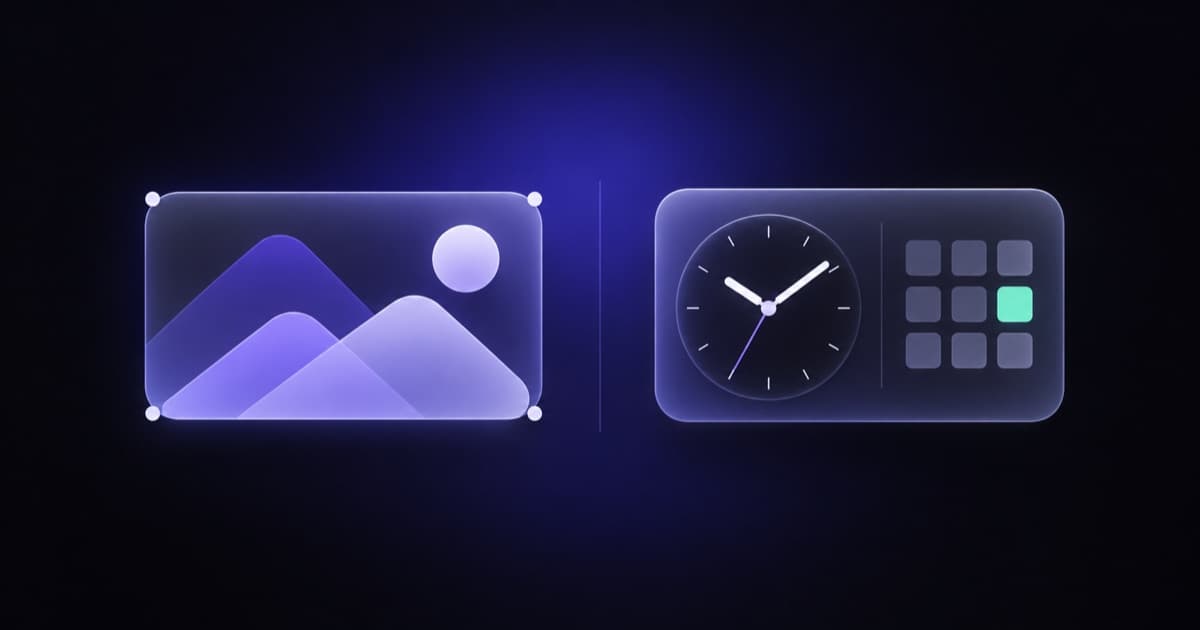
Widgy and Widgetsmith get compared constantly, and the comparison is a little unfair to both, because they're not really trying to do the same job. Widgetsmith wants to get you a good-looking widget in a couple of minutes. Widgy wants to give you a canvas and get out of your way. Which one is "better" depends almost entirely on how much you enjoy building things by hand.
We build a widget app ourselves, so we have a horse in this race; we'll bring it up at the end, honestly, with its limits. First, the two apps you came here to read about.
What each one is
Widgetsmith is a preset-based widget maker. You pick a widget type from a long list, such as a clock, a date, a calendar, weather, activity, a photo, or a time-zone clock, then style it with fonts, tints, and backgrounds. It's been refined since the earliest days of iOS 14 widgets and it shows: everything is tidy, and it has a few features almost nobody else matches, like scheduling one Home Screen slot to show different widgets at different times of day.
Widgy is a layer-based editor. A widget is a stack of layers, each one text, an image, a shape, a chart, a progress ring, or an effect, and you position and style every layer yourself. There's a large community that shares finished designs you can import and tweak, so you don't have to start from a blank canvas, but the app's real promise is that if you can picture a widget, you can build exactly that.
What each is best at
Widgetsmith is best at getting you a polished result quickly, and at cohesive aesthetics. Its presets are well designed, its time-of-day scheduling is genuinely useful, and in its premium tier it has a strong weather section, including air quality and tide data, plus activity and workout charts. If your want is "a nice weather widget in the same style as my nice calendar widget," it's excellent.
Widgy is best at control. Every element is yours to move by the pixel, so intricate designs, unusual arrangements, and layouts that mimic other operating systems or apps are all possible. Its community library means you can start from someone else's brilliant design and adjust it. If your want is "this exact thing I sketched," Widgy is the one that can do it, provided you're willing to put the time in.
The learning curve
This is the biggest practical difference. Widgetsmith you can use the first time you open it. Widgy has a real learning curve; the editor is powerful, but power means options, and options mean a first hour that's mostly figuring out where things are. Widgy users tend to describe the app with real affection once they're over that hump, and to describe the hump honestly.
If you're the kind of person who enjoys a layer panel, Widgy's curve is a feature. If you just want the widget, it's a cost.
Data sources
Both apps show live data, but they lean in different directions. Widgetsmith's data is curated: weather, calendar, reminders, activity, photos, and the like, each in a preset built around that data. Widgy exposes more raw variables (device stats, dates and times, health and weather values, and more) that you place into your own layers, which is what makes it possible to build, say, a battery level next to a step count on one tile. We haven't audited either app's full data list recently, so check the App Store descriptions for the current specifics.
Neither app, as far as we know, lets you point a widget at an arbitrary web API or an unusual source like a GitHub contribution graph or a crypto price. That's a gap we'll come back to.
Aesthetics and theming
Widgetsmith is more of a "complete look" app: styled presets, curated wallpapers, and clear or frosted widget styles that let your wallpaper show through, so a whole Home Screen can feel intentional. Widgy can produce any aesthetic, but you're producing it yourself or importing it; it's a tool rather than a catalog.
Sizes and surfaces
Both apps offer small, medium, and large Home Screen widgets, and both have Lock Screen widgets; Widgy also targets the Apple Watch, as its App Store name suggests. As with everything else here, check the listings for what's current.
Pricing model
Both are free to start with paid unlocks. Widgetsmith's data-driven and premium features sit behind a subscription; Widgy has historically used a one-time unlock for its pro features. Both have changed over time, so we'd rather you check the App Store for current prices than trust a number we'd have to keep updating.
Who should pick which
- Pick Widgetsmith if you want a great-looking widget without a project, if timed widgets appeal to you, or if weather, tides, and activity are your main use.
- Pick Widgy if you want pixel-level control, enjoy building, or have a specific design in your head that no preset will ever match.
If you're torn, the tiebreaker is honest: how much time do you want to spend? Widgetsmith is minutes; Widgy is an evening, and then a hobby.
The third option: describe it
The reason we're in this article is that there's a gap between these two. Widgetsmith won't build a layout that isn't a preset. Widgy will build anything, but you're the one doing the building. What if you want a custom widget and don't want to learn a layer editor?
That's what WidgetAI is for. You type what you want, something like "a medium widget with my GitHub contribution graph on the left and today's weather on the right, dark background," and the AI designs it. Then you refine by talking: "make the graph greener," "show the high and low instead of the current temperature," "put a thin border around it." It has built-in connectors for weather, air quality, crypto, stocks, world clocks, GitHub, RSS feeds, quotes, and service status, and Pro adds a custom HTTP API connector so you can wire a widget to your own data. On-device signals like battery, calendar, reminders, photos, Apple Health, and Apple Music are read locally on your phone, with your permission.
Where it falls short of the two apps above, plainly: it supports small and medium widgets only, with no large yet. It has no wallpaper or icon theming at all. And it doesn't give you Widgy-style manual control; you steer with words, which is faster for most changes and worse for "move that three pixels left." If you love a layer panel, Widgy will make you happier.
For the broader field, our tour of Widgetsmith alternatives covers Color Widgets, ScreenKit, and WidgetClub as well, and if you're weighing a custom build at all, it's worth reading what iOS widgets can't do first, since some limits belong to Apple and no app can route around them.
FAQ
Is Widgy better than Widgetsmith? Widgy is better if you want pixel-level manual control and don't mind a learning curve. Widgetsmith is better if you want a polished widget in minutes, timed widgets, and refined weather and activity presets. Neither is better across the board.
Is Widgy harder to use than Widgetsmith? Yes. Widgy is a layer-based editor with a real learning curve; Widgetsmith is usable the first time you open it. Widgy's community library of importable designs softens the curve considerably.
Can Widgy or Widgetsmith show data from a custom API? Not as far as we know. Both work from their own built-in data sources. WidgetAI's Pro plan includes a custom HTTP API connector for widgets driven by your own data.
Is there an option between Widgy's manual editor and Widgetsmith's presets? Yes. WidgetAI builds a custom widget from a plain-language description and lets you refine it by chatting, so you get a bespoke layout without a layer editor. It supports small and medium widgets and isn't a theming app.
If describing the widget sounds better than building or browsing for it, WidgetAI is made for iPhone, iPad, and Mac, and it's on the App Store. The free plan covers 1 widget and 5 AI edits a month; Pro lifts those limits as an in-app purchase.