 WidgetAI
iPhone health widgets: steps, sleep & activity rings
· Updated · Antoni, builder of WidgetAI
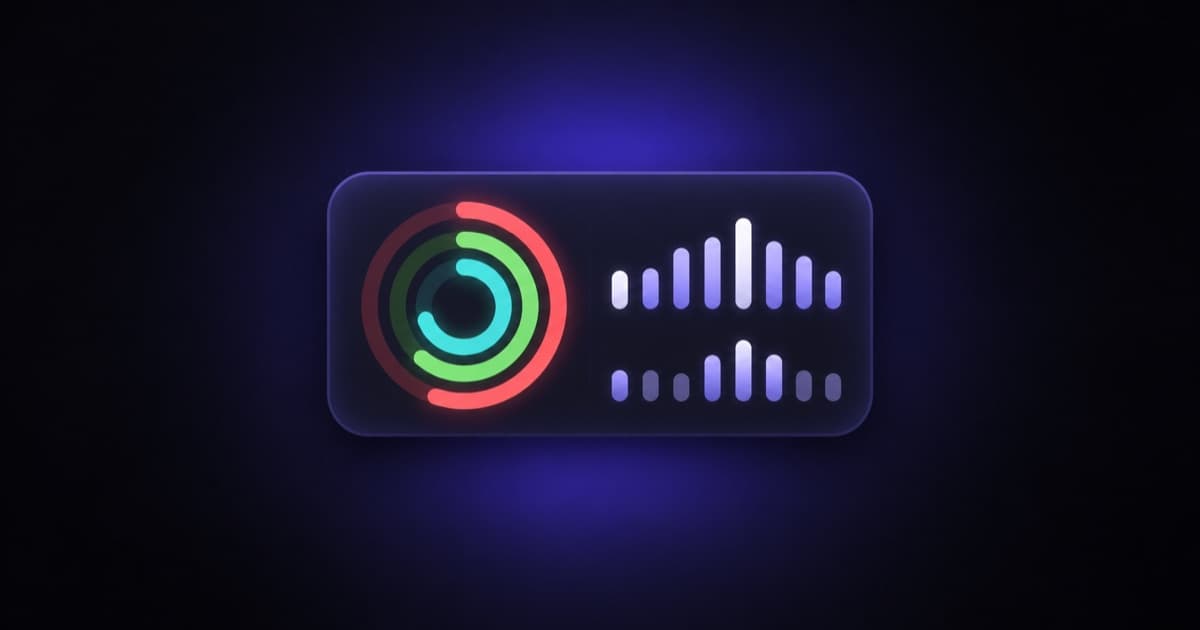
The numbers you check most during the day are often the ones buried deepest. To see your step count you open the Health app, tap through to the right screen, and squint at a chart. To check last night's sleep, you dig again. A widget fixes that. Your steps, your rings, your resting heart rate — sitting on your Home Screen, glanceable, without opening anything.
That's what WidgetAI is for. It's an iPhone app that builds custom Home Screen widgets from a chat. You describe what you want to see, the AI designs it, and it goes live on your Home Screen. For health, that means you can put exactly the metrics you care about, laid out the way you like, on a single tile.
What WidgetAI can show from Apple Health
WidgetAI reads a specific set of values from Apple Health through HealthKit, and only after you grant permission. Here's the full list it can put on a widget today:
- Steps — your step count for the day
- Active energy and your move goal — the calories side of your Activity rings
- Exercise minutes and your exercise goal — the minutes you've earned toward the ring
- Stand hours and your stand goal — the hours you've stood and moved
- Sleep hours — how long you slept
- Heart rate — your latest reading
- Resting heart rate — your resting baseline
You can mix these on one widget or build a focused one for a single number. A move-goal ring next to your step count, or a quiet tile that just shows last night's sleep — both are a sentence away.
Ready-made health templates
You don't have to start from a blank page. WidgetAI ships with a family of health templates you can pick and then reshape:
- Activity-ring-style displays — rings that fill toward your move, exercise, and stand goals
- Steps — your daily count as a big number, a bar, or a ring
- Sleep — last night's hours in a clean layout
- Heart rate — your latest and resting readings
Pick the one closest to what you want, then talk to change it. "Show sleep as hours and minutes." "Make the ring pink." "Put my resting heart rate under the big number." Each message refines the design in place. If you're curious how that back-and-forth actually works, we wrote it up in how the chat AI builds your widget.
What you can design
Health data suits visual layouts, and WidgetAI gives you a real range to work with:
- Ring and arc gauges for goals — the natural fit for move, exercise, and stand progress, or steps against a target
- Progress bars when you want the same idea in a flatter, more compact shape
- Big-number layouts for a single metric you want to read from across the room
- Charts — line, bar, and sparkline shapes for trends
- Rules-based colors — set a rule so the ring turns green when you hit your goal, or a number shifts color as it climbs
Because you're describing the result rather than dragging pieces around, you can get specific. "A steps ring that goes green at 10,000." "Sleep hours in a big number with a soft gradient behind it." The design follows what you say. For a wider tour of layouts and metrics people build, see our best iPhone Home Screen widgets for 2026.
Privacy: your health data stays on your iPhone
Health data deserves care, so here's exactly how it works. WidgetAI reads your health values on your iPhone, through Apple's HealthKit, and only for the metrics you allow. When you first ask for a health widget, iOS shows you Apple's own permission screen where you choose what to share — steps, sleep, heart rate, and so on. Nothing is read until you say yes.
The values your widget displays are read on-device, with your permission. You stay in control of that access the whole time. You can review or change it in Settings > Privacy & Security > Health, and you can revoke any of it whenever you want. Turn off a permission there and the widget simply stops reading that value.
A note on freshness
Two honest things worth knowing so nothing surprises you.
First, widgets don't update continuously. iOS gives every widget a refresh budget, so the count on your Home Screen can lag a little behind what the Health app shows at that exact moment. It catches up — it just isn't second-by-second. We explain the mechanics in how iOS widget refresh works.
Second, Apple Watch metrics flow through Apple Health. If you track workouts, heart rate, or rings on your Watch, those show up in your widget once the Watch has synced to Health on your iPhone — the widget reads from Health, not from the Watch directly.
Sizes
WidgetAI supports small and medium widgets today. A small tile is great for one focused number — steps, or last night's sleep. A medium tile has room for rings plus a couple of supporting stats. Large widgets aren't here yet, but they're on the list.
FAQ
Can I show my Apple Watch activity rings? Yes, as long as your Watch has synced to Apple Health. WidgetAI reads your active energy, exercise minutes, and stand hours (with their goals) and can draw them as rings. If a metric looks missing, give the Watch a moment to sync.
Does WidgetAI need permission for my health data? Yes. It reads Apple Health through HealthKit only after you grant access on iOS's permission screen, and only the metrics you allow. You can change or revoke that in Settings > Privacy & Security > Health at any time.
Why doesn't my step count match the Health app exactly? Widgets refresh on iOS's budget rather than continuously, so the number can trail the Health app by a bit before it catches up. It's one of the things iOS widgets can't do — a platform limit, not a bug.
Can I put steps, sleep, and heart rate on one widget? On a medium widget, yes — there's room to combine a few metrics. A small widget is better for a single number you want to read at a glance.
Getting started
Download WidgetAI, start a chat, and say something like "a steps ring that turns green at my goal" or "show last night's sleep as hours and minutes." Grant the health permissions iOS asks for, and add the widget to your Home Screen. The free plan includes 1 widget and 10 AI edits a month, which is plenty to build a health tile or two you'll actually keep. Pro, available as an in-app purchase, lifts those limits.
WidgetAI is made for iPhone and Mac, and it's available on the App Store now.